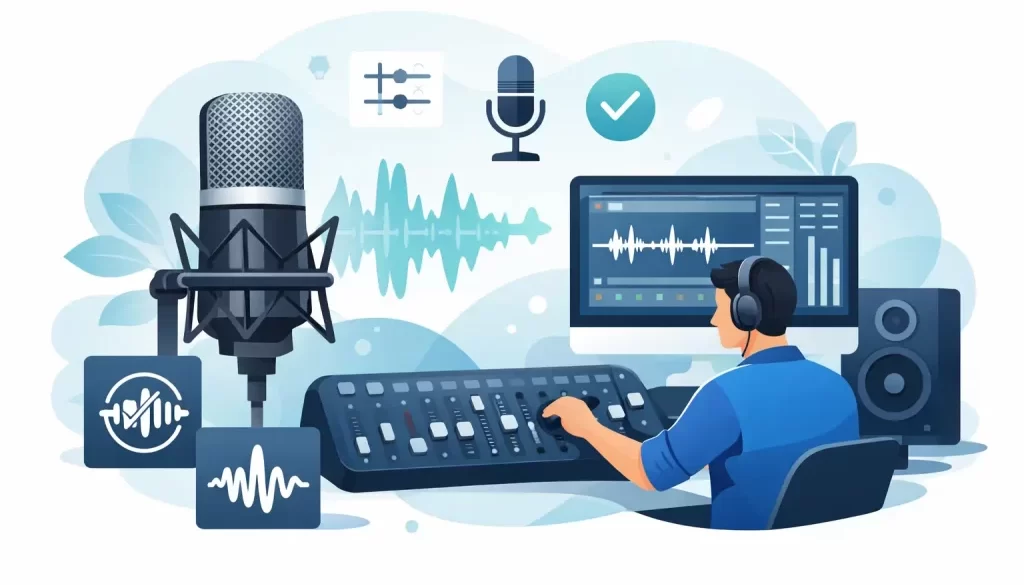
A listener will forgive the odd stumble. They will not forgive muddy sound, harsh levels or a guest who sounds like they are calling from the bottom of a biscuit tin. That is why the top podcast audio quality fixes are rarely about expensive gear alone. They are about making smart decisions before, during and after recording so your show sounds credible, consistent and worth returning to.
If your podcast supports your brand, sells your expertise or helps attract clients, audio quality is not a cosmetic extra. It affects retention, trust and whether your show feels commercially serious. The good news is that most quality problems come from a small number of recurring mistakes, and they can be fixed.
Why audio quality matters more than most hosts think
Poor sound creates friction. Even when the content is strong, distracting background noise, uneven volume or clipped speech makes the experience harder than it should be. Listeners may not always know the technical term for the problem, but they know when a show feels amateur.
That matters because podcasting is a trust medium. People often listen for 20, 40 or 60 minutes at a time. If your audio sounds careless, your brand can seem careless too. For founders, consultants, authors and businesses, that is a direct reputational issue, not just a production issue.
There is also a practical side. Better raw audio means faster editing, fewer compromises in post-production and a more consistent publishing workflow. If every episode starts with avoidable problems, production becomes slower and more expensive than it needs to be.
Top podcast audio quality fixes start before you press record
Many hosts look for software to rescue a bad recording. Sometimes that works well enough. More often, it only hides the problem. The strongest fix is prevention.
1. Record in a controlled room, not just a quiet one
A room can be silent and still sound bad. Hard surfaces create reflections that make speech feel boxy, hollow or sharp. Kitchens, bare offices and large meeting rooms are common offenders.
A better recording space is usually smaller, softer and less reflective. Curtains, carpets, bookshelves and upholstered furniture help absorb sound naturally. You do not need to turn your office into a studio, but you do need to reduce echo at the source. This one change often makes a bigger difference than upgrading the microphone.
2. Put the microphone in the right place
Many hosts own a decent mic and still sound distant because the placement is wrong. If the microphone is too far away, the room becomes louder than the voice. If it sits directly in front of the mouth without any technique, plosives and harsh breath noise take over.
In most cases, placing the mic a few inches from the mouth and slightly off-axis gives a cleaner result. A pop filter helps, but it is not a substitute for positioning. Consistency matters too. If you move your head constantly while speaking, the tone and level will drift throughout the episode.
3. Wear headphones while recording
This is one of the most overlooked fixes. Monitoring your audio live helps you catch hum, laptop fan noise, crackles, accidental speaker bleed and poor guest connections before they ruin the session.
It also keeps remote interviews cleaner. If your guest is not wearing headphones, your voice can feed back into their microphone and create an echo that is painful to edit properly. That sort of problem is avoidable, and it is always better to fix it during the recording than after.
The biggest recording mistakes that damage good content
Strong conversations can still be weakened by technical inconsistency. These are the issues that show up most often in business podcasts and branded shows.
4. Set recording levels conservatively
Hosts often record too hot because they want a strong waveform. The result is clipped peaks, brittle speech and distortion that cannot really be repaired. Once audio is clipped, you are managing damage, not restoring quality.
A safer approach is to leave headroom. Speech should sit at a healthy level without hitting the ceiling. Modern recording allows plenty of room to raise volume later, but distorted audio rarely sounds premium, however much processing you apply.
5. Use separate tracks for each speaker where possible
If host and guest are recorded onto a single mixed track, editing options become limited very quickly. You cannot clean up one person’s noise without affecting the other. You cannot rebalance voices accurately. You cannot remove a cough cleanly if it overlaps with a key point.
Separate tracks give you control. That matters even more when one speaker has a better setup than the other, which is common with remote interviews. Multi-track recording is not just a technical preference. It is a quality and efficiency decision.
6. Do not rely on built-in laptop microphones
This sounds obvious, yet it still happens on high-stakes interviews. Laptop mics capture too much room sound, too much keyboard noise and too little warmth or focus. They make expert conversations sound casual in the wrong way.
A USB microphone is often enough to produce a clear improvement. That said, equipment choices depend on the host, the environment and the workflow. An expensive mic in a reflective room can sound worse than a simpler mic used correctly. The fix is matching the setup to the actual recording conditions, not buying the most impressive model.
Top podcast audio quality fixes in post-production
Editing should enhance a strong recording, not perform miracles. When post-production is handled properly, it removes distractions without making the episode sound over-processed.
7. Clean noise carefully, not aggressively
Background hiss, electrical hum and low-level room noise can often be reduced. The mistake is pushing noise reduction too far. Heavy processing can leave speech watery, brittle or synthetic, which is especially damaging in long-form spoken audio.
This is where human judgement matters. The right approach depends on the severity of the issue, the voice itself and how exposed the dialogue is. Sometimes a small amount of residual room tone is more natural and more listenable than an aggressively scrubbed track.
8. Balance EQ and compression for clarity, not effect
Equalisation and compression are useful tools, but they are easy to misuse. Too much EQ can make a voice thin or harsh. Too much compression can make breathing louder, remove natural dynamics and create listener fatigue.
Done well, EQ improves intelligibility and removes muddiness. Compression evens out performance without crushing it. The trade-off is always between control and naturalness. For commercial podcasts, the goal is usually clean, confident and consistent, not radio-style exaggeration.
9. Match loudness across episodes
A polished podcast should not force listeners to adjust the volume every time a new episode starts. Consistent loudness helps your show feel established and professionally managed.
This is especially important if you include host-read adverts, interviews recorded in different locations or a mix of solo and guest-led episodes. Loudness matching is one of those details listeners rarely praise directly, but they notice when it is missing.
When to fix it yourself and when to get support
Not every podcast needs a full production team. If you publish occasionally, record in a stable setup and enjoy editing, a streamlined DIY workflow may be enough. But if you are producing a show to support your business, attract leads or build authority, audio quality usually has a direct commercial impact.
That is where the hidden cost of doing everything yourself starts to show. Editing takes time. Troubleshooting takes more time. Inconsistent results make it harder to build trust with listeners and harder to maintain momentum with publishing.
Professional support becomes especially useful when you need fast turnaround, regular output, multi-speaker editing or guidance on the front end so problems are not repeated every week. At that stage, editing is not just admin. It is part of brand presentation.
For that reason, many serious podcasters choose a human editor rather than fully automated processing. Software can speed up parts of the workflow, but nuance still matters. Knowing what to remove, what to leave alone and how to preserve the natural rhythm of a conversation is what separates a merely cleaned file from a genuinely polished episode.
Pure Podcasting works with clients who want that level of care, especially when the podcast is tied to reputation, audience growth and monetisation. The value is not only in making episodes sound better. It is in creating a dependable production process that helps hosts show up consistently and sound their best.
If your podcast audio is not where you want it to be, start with the basics: room, mic position, monitoring and levels. Then look at what editing can improve without forcing the sound into something unnatural. The best fix is usually the one that solves the real problem early, protects your time and makes every episode easier to listen to from the first minute.